SOUL AI
Overview
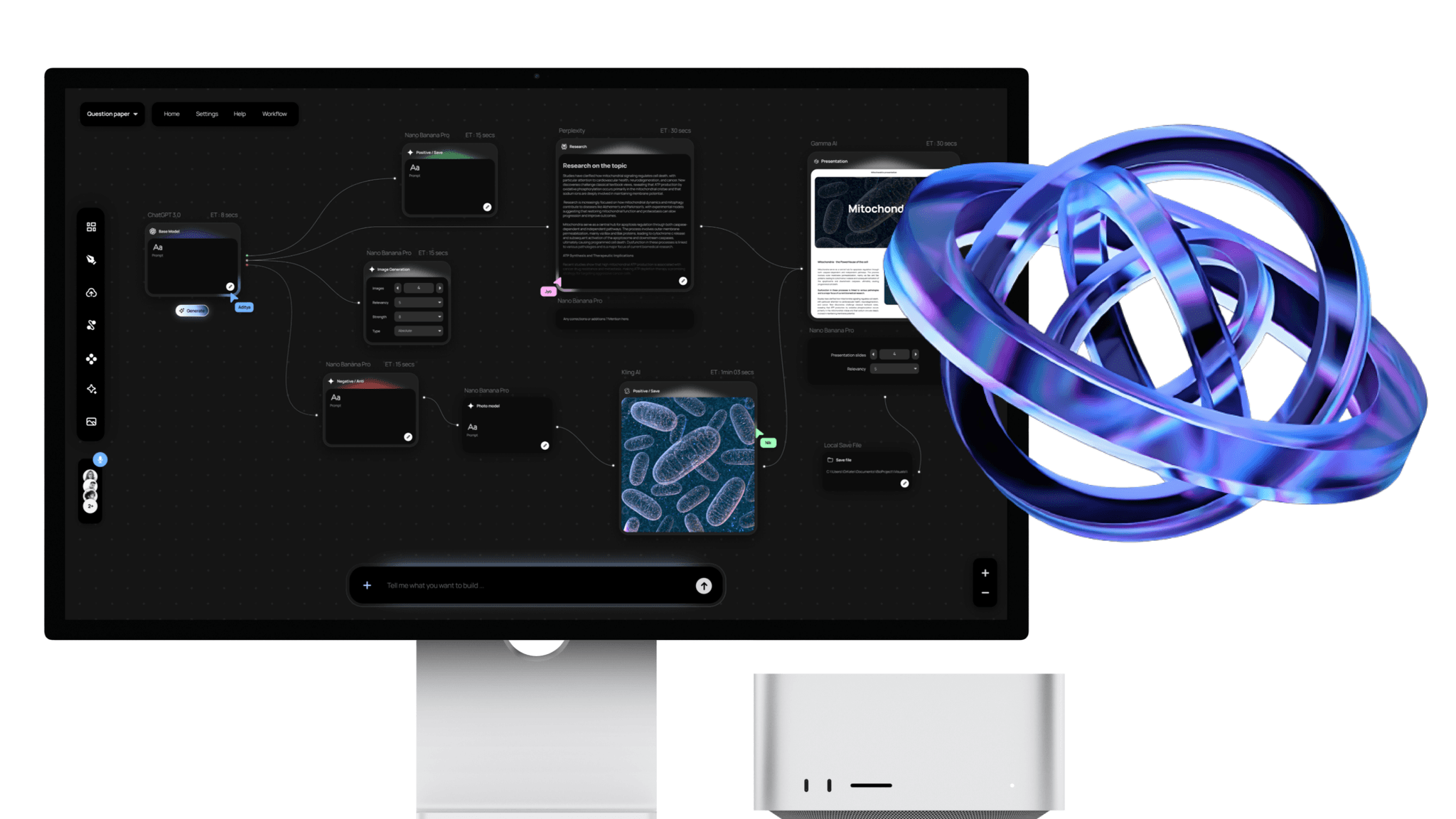
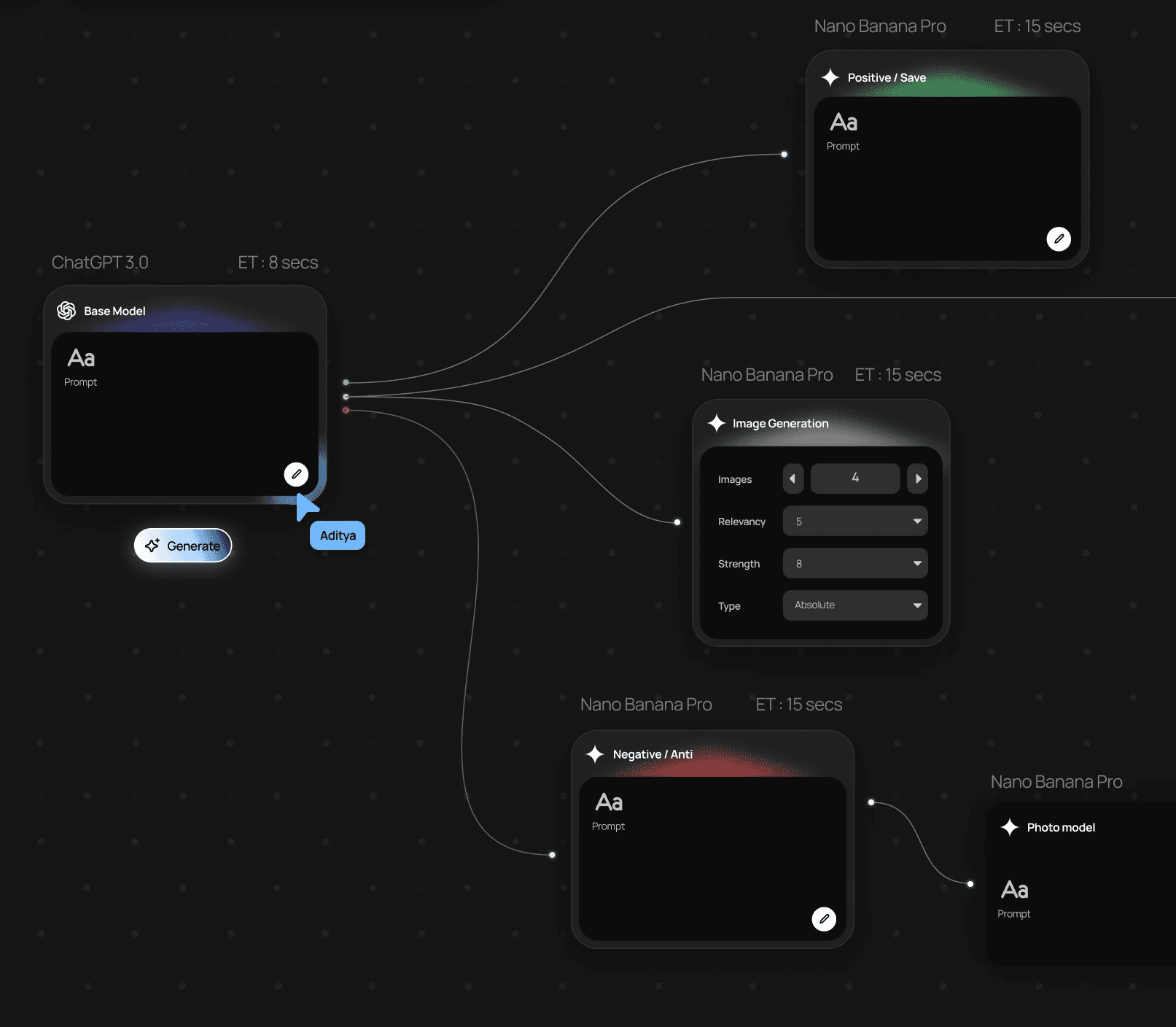
Soul explores how complex digital tasks can be structured through workflow-based interfaces rather than single prompts. Many real-world tasks such as preparing a presentation or research report require multiple steps including research, structuring, content generation, and formatting.
This project investigates how a system could help users define the process behind a task rather than repeatedly prompting different tools. The outcome was a multi-screen interactive prototype that demonstrates how users can visually construct workflows, orchestrate different stages of a task, and generate structured outputs through a single interface.
The project was presented to an industry jury and received Runner-Up recognition for its human-centric approach and clarity of execution.
Categories
AI
Website / Desktop Application
Methods used
Workflow Mapping • Competitive Analysis • Interaction Design Exploration • Rapid Prototyping • Usability Testing
Date
Problem Statement
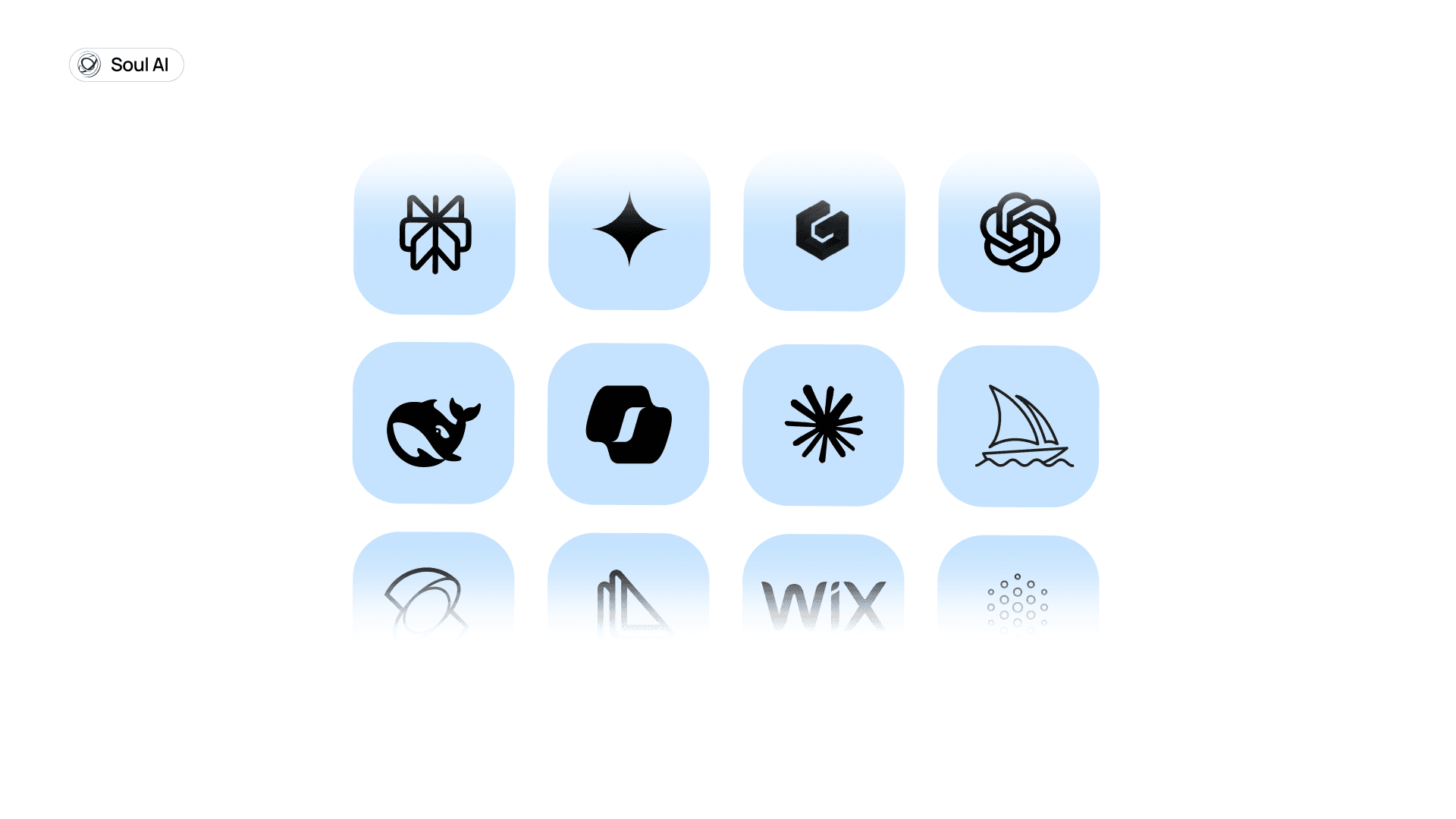
Complex digital tasks require multiple tools and repeated manual effort.
For example, when preparing a lecture or presentation, users often move between several platforms to complete a single workflow.
This creates several challenges:
fragmented workflows across tools
repetitive prompting and manual adjustments
inconsistent outputs between stages of the task
The challenge was to design a system that allows users to structure complex tasks clearly while maintaining control over the process.
Solution at a Glance
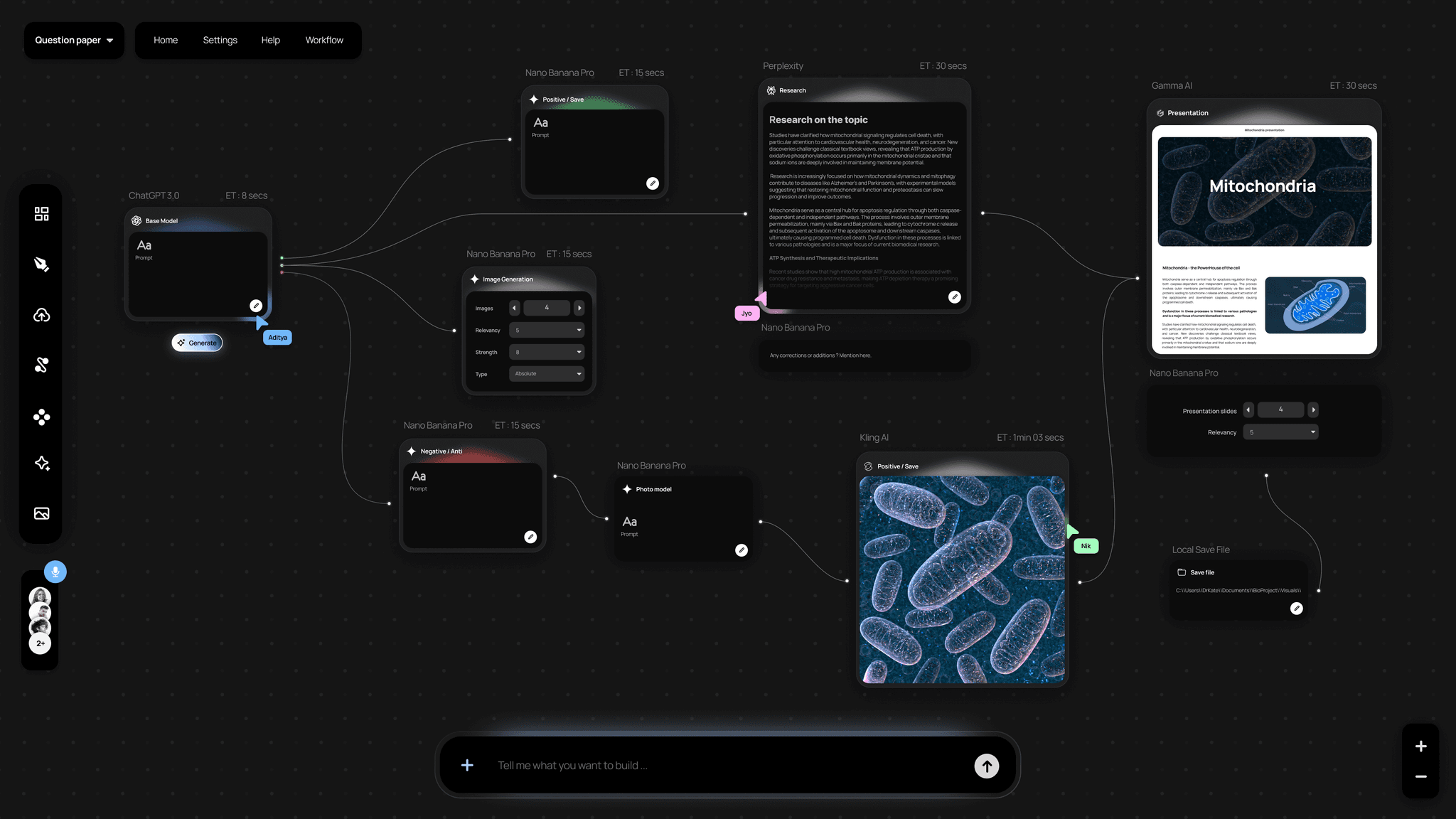
Soul AI is a digital experience that tailors AI responses to your emotional context and intention, not just task triggers.
Instead of generic replies or static suggestions, Soul AI gauges tone, mood, and goals to deliver responses that feel human, supportive, relevant, and contextually aware.
We built a concept prototype in 24 hours and presented it to the judges, ultimately finishing as Runner-Ups , not because it was perfect, but because it felt alive.
How It Started
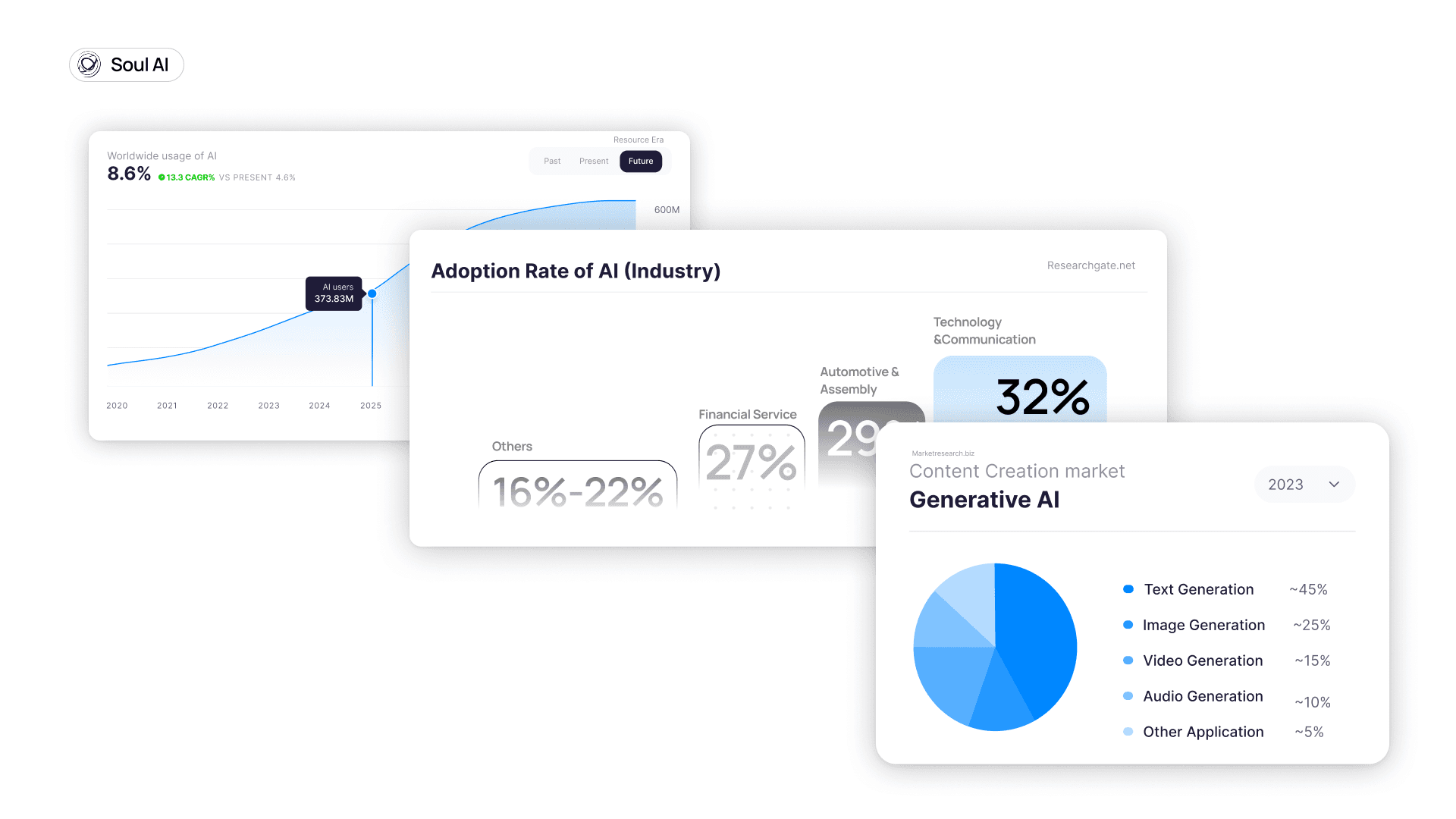
We entered the 24-hour designathon with a few common frustrations:
Voice assistants that feel robotic.
Recommendations that ignore why you’re doing something.
Apps that treat all users the same.
My teammates and I spread across UX, research, and content knew we had to lean into something that felt alive, not mechanical.
After an initial brainstorm, someone said:
“What if AI could understand not just what I want, but how I feel when I want it?”
That question became our anchor.
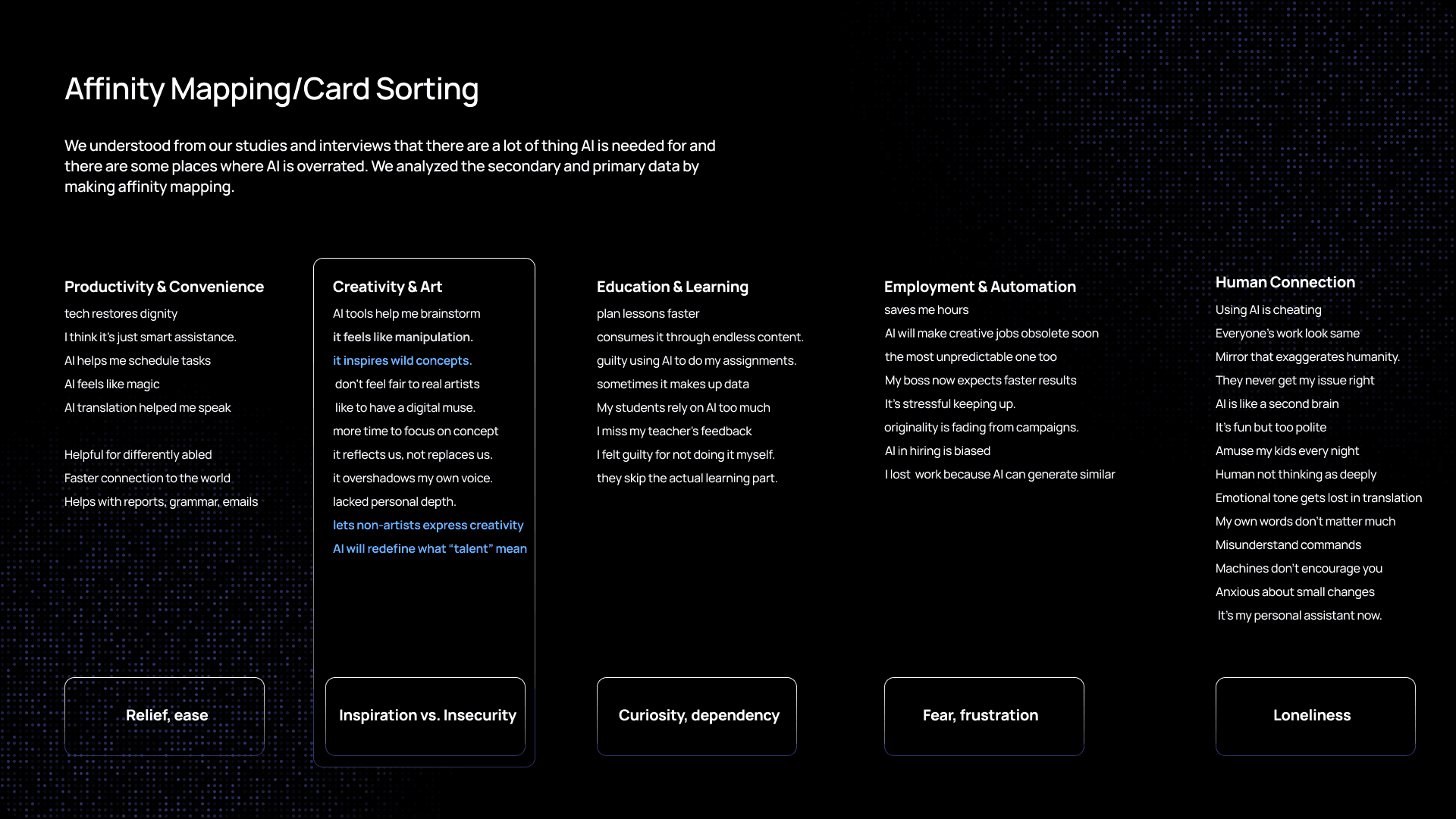
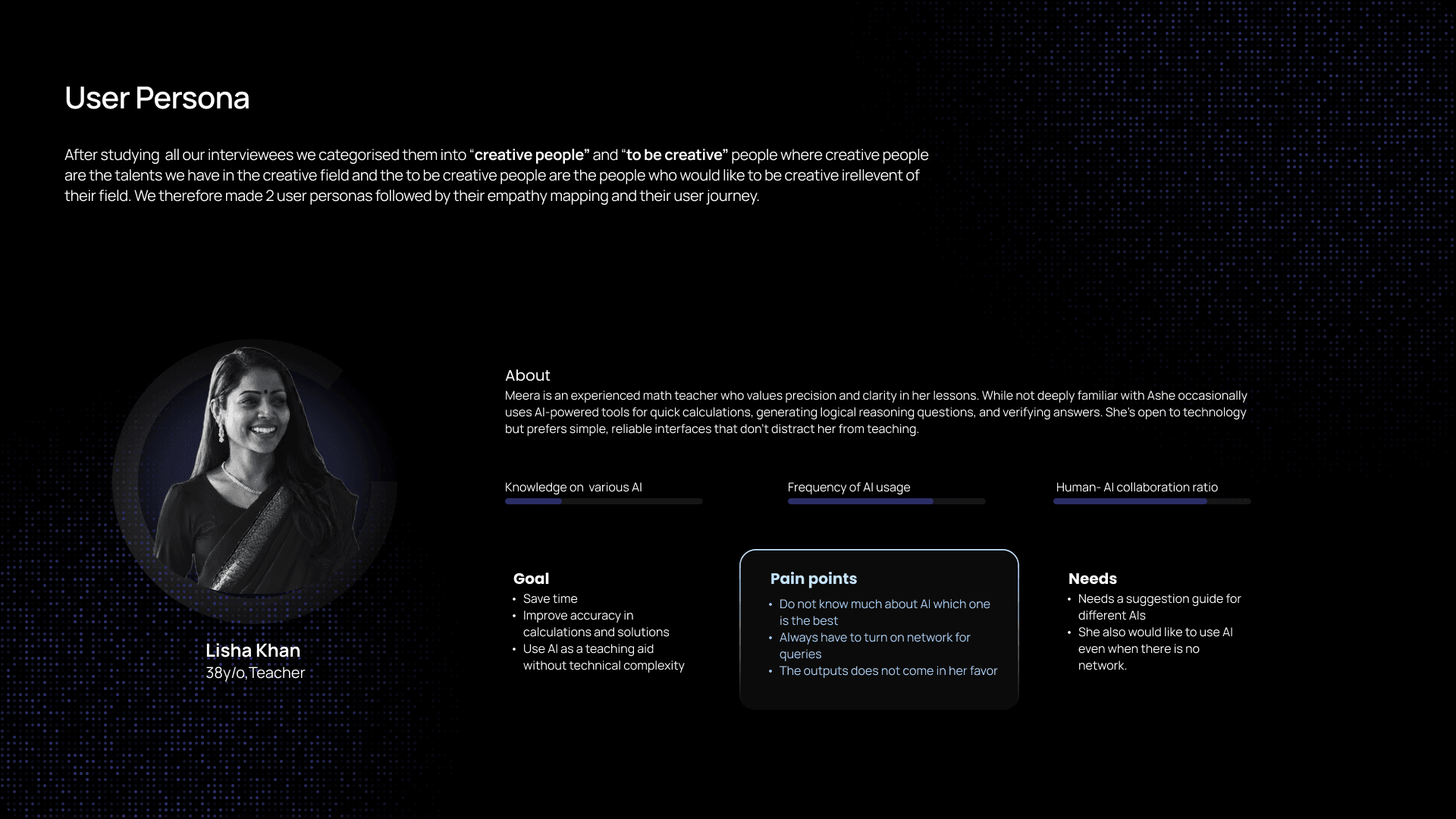
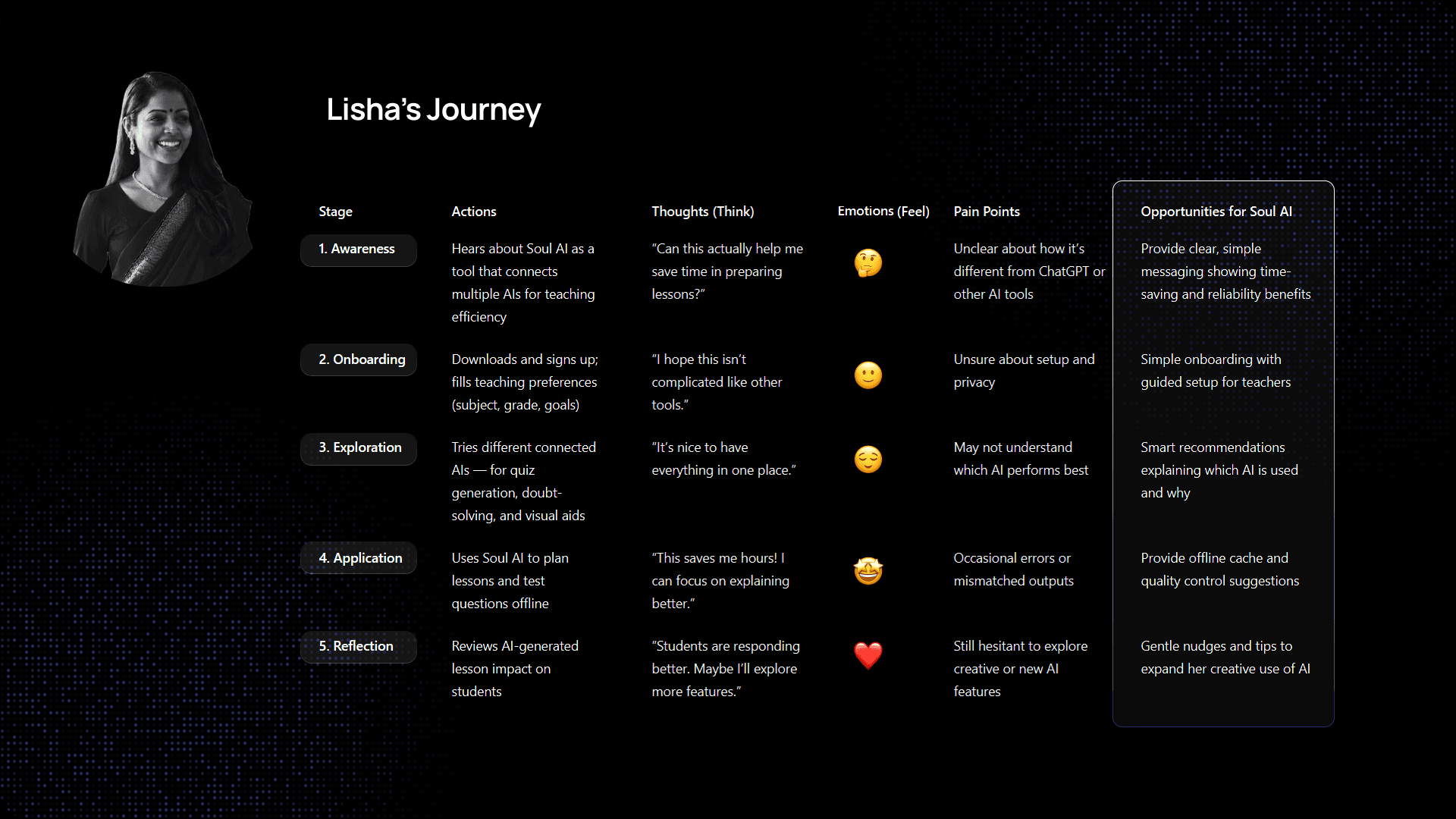
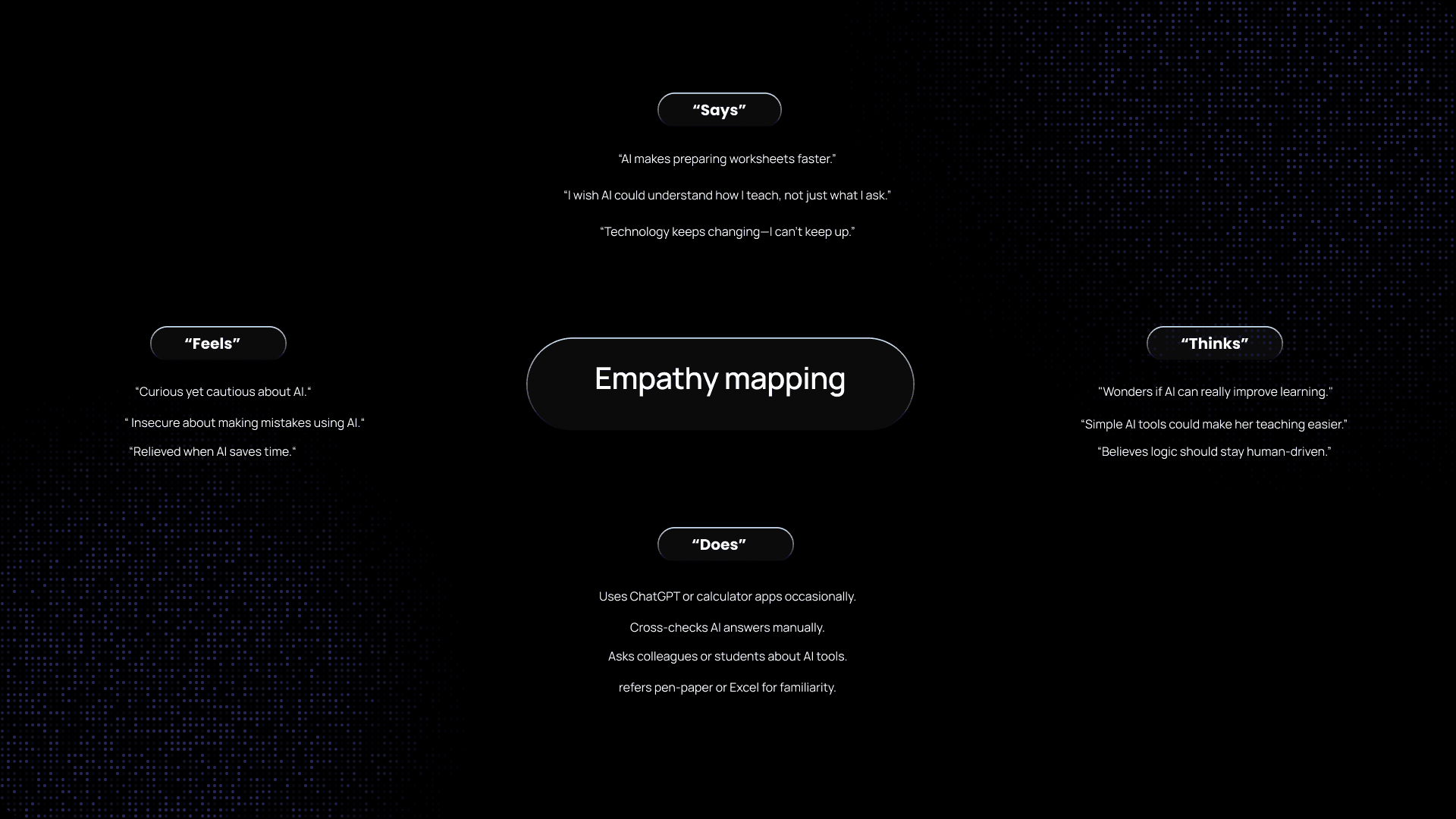
User Research
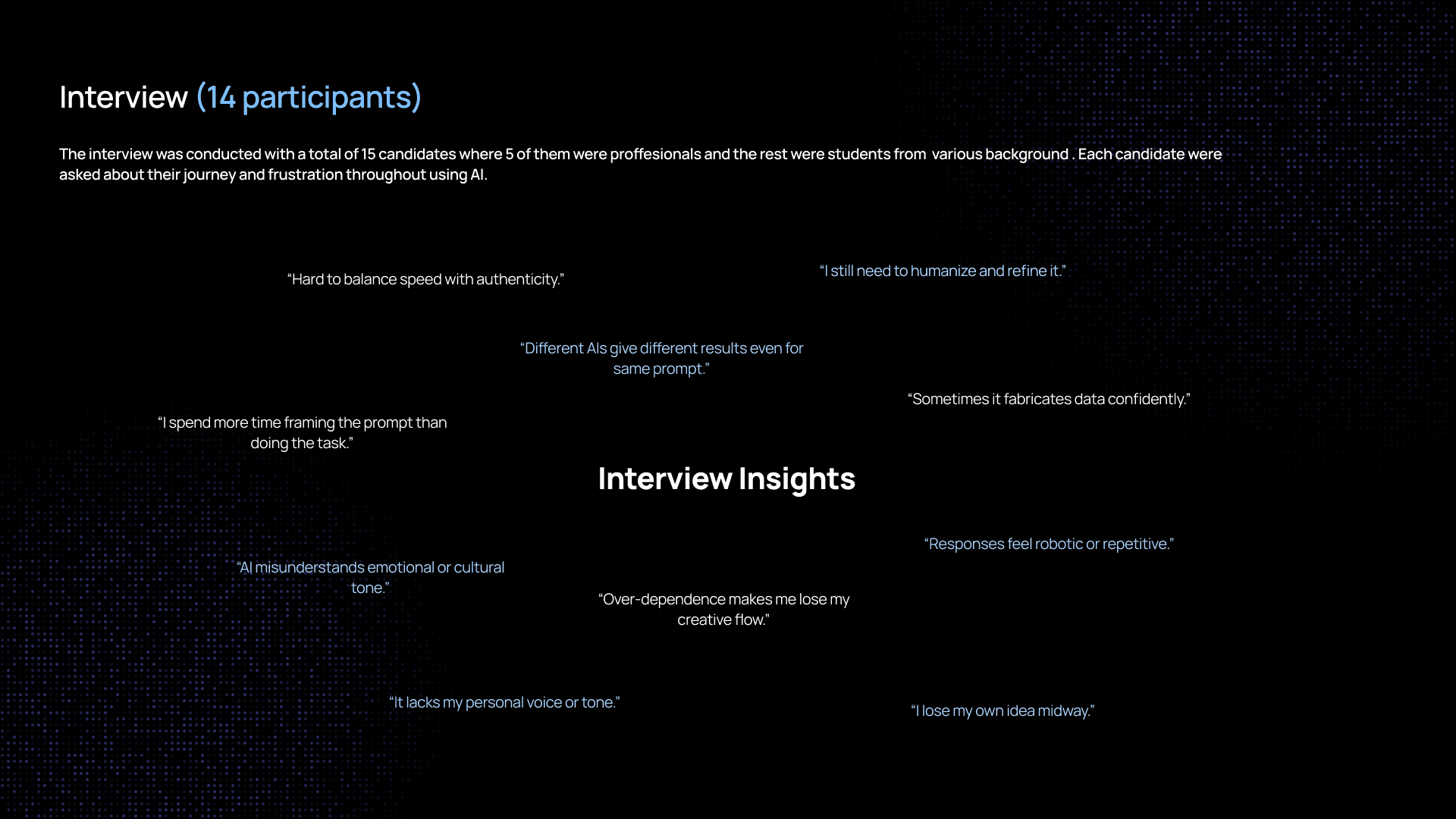
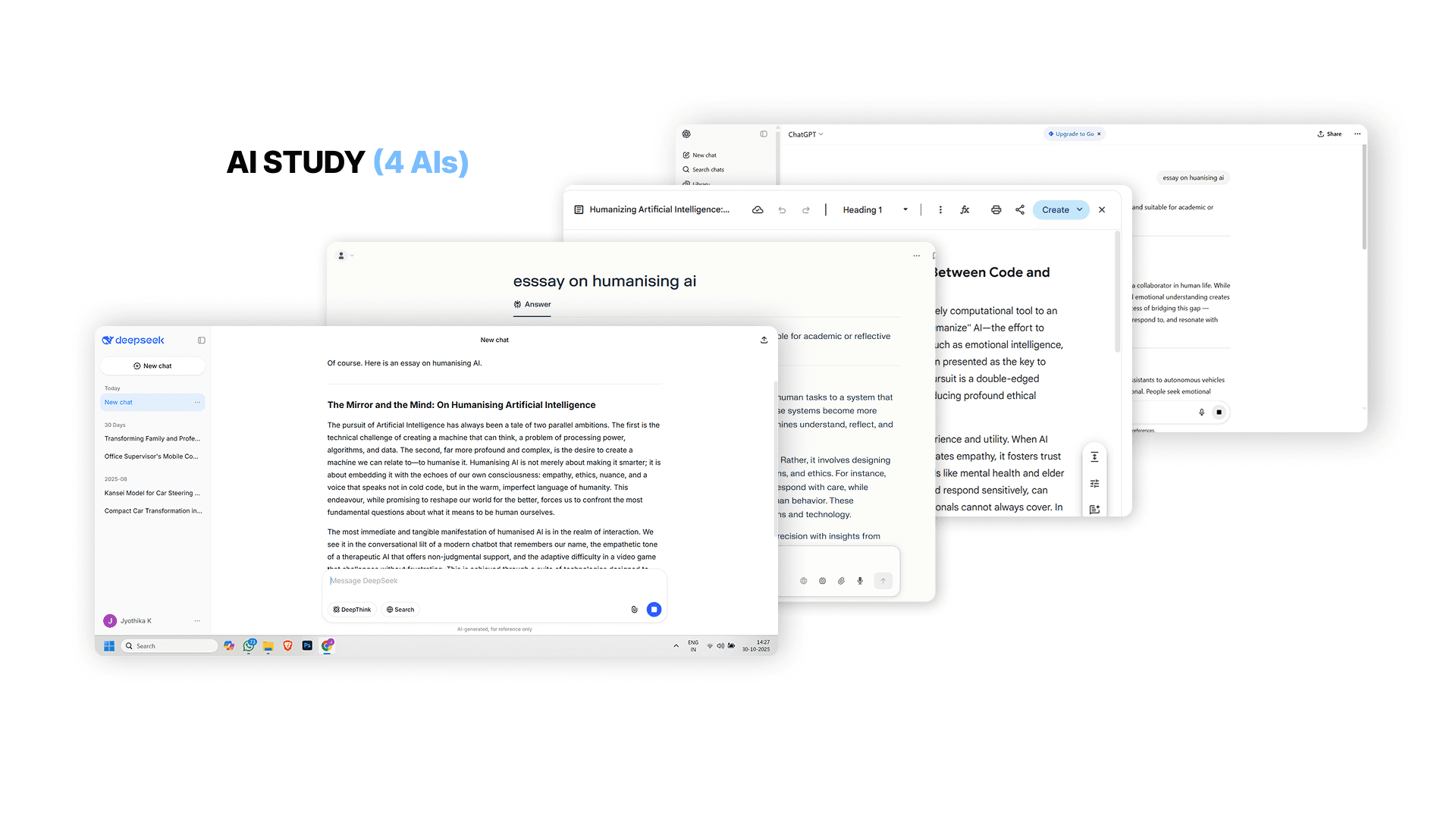
Since we had only 24 hours, traditional research wasn’t possible but we didn’t skip insight. Instead, we used micro-research methods:
Live mini-interviews with 8 peers
Observation of how users react to existing AI assistants
Quick sentiment testing by reading emotional tone of sample messages
What we learned:
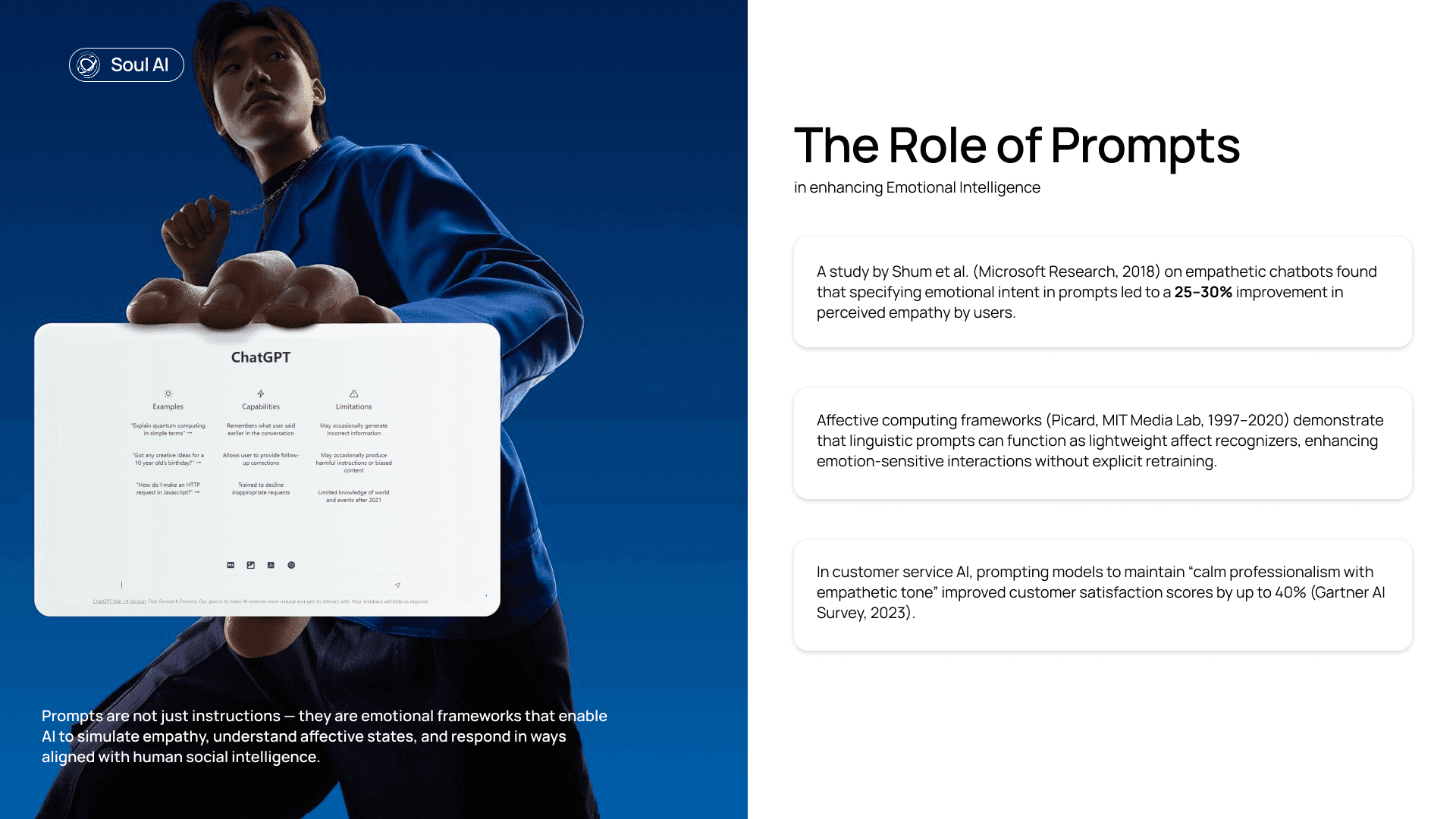
People want empathy before solution.
Users abandon assistant tools when responses feel robotic.
Emotional cues (tone, words, hesitation) matter more than raw task accuracy.
We distilled those insights into clear design priorities:
Emotional context, supportive language, adaptive UI tone.
More research :
Approach
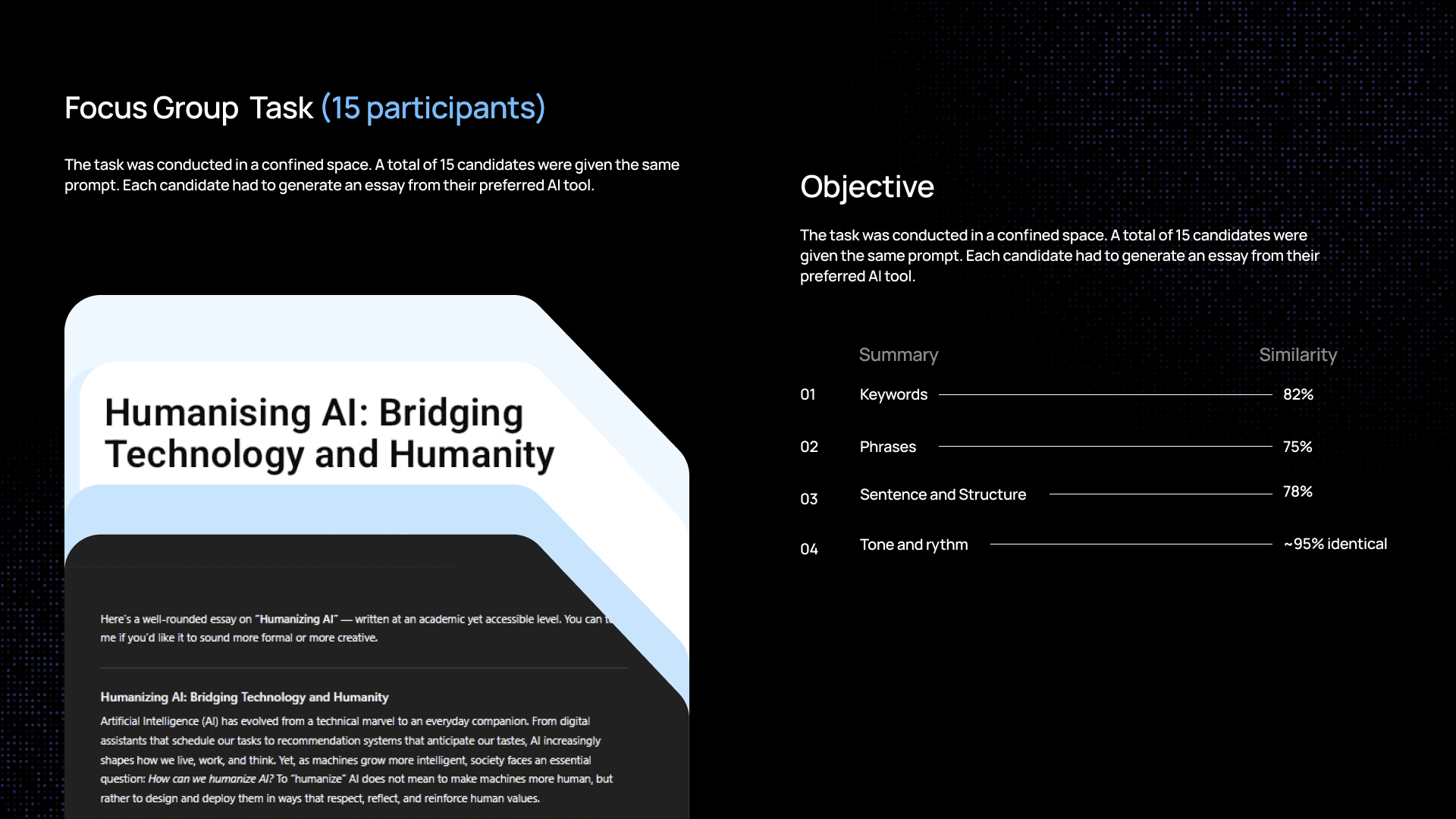
Rather than jumping straight into UI screens, we first asked:
What does emotional intelligence in AI even look like?
What signals can we surface to the user without being creepy?
We mapped user states calm, stressed, curious, overwhelmed and matched them with response strategies:
User State | AI Response Style |
|---|---|
Stressed | Reassuring / simplified suggestions |
Curious | Contextual explanations |
Overwhelmed | Step-by-step guidance |
From that point, our goal was not to make every response smarter but to make every response feel like it matters.
Solution
We landed on a prototype that:
Reads the emotional tone of a user’s input
Adjusts AI response style accordingly
Displays UI elements that reflect mood subtly
(e.g., softer colors for stress, bright accents for curiosity)
The result was not a single “right answer” but behavior that felt attentive:
A UI that shifts language tone
Prompts that feel supportive
A feedback loop where users can correct the AI’s emotional reading
This created an experience where interaction wasn’t just reactive it felt responsive.
Design Decisions
Because we had limited time, we made intentional trade-offs:
Language over fancy visuals
We chose to invest in writing emotionally supportive copy rather than flashy graphics. The core idea had to feel real.
Tone matching, not mood guessing
Instead of making AI guess user emotions incorrectly, we limited it to four states that we could design for confidently (stressed, curious, calm, overwhelmed). This kept the system believable.
Simple UI that adapts
Rather than designing many complex screens, we built a system of adaptive micro-responses to ensure the UI supported the message, not distract from it.
1.Language
Language over fancy visuals
2.Tone
stressed, curious, calm, overwhelmed
3.Simple UI
To ensure the UI supported the message
Key Insights
Some of the most surprising takeaways:
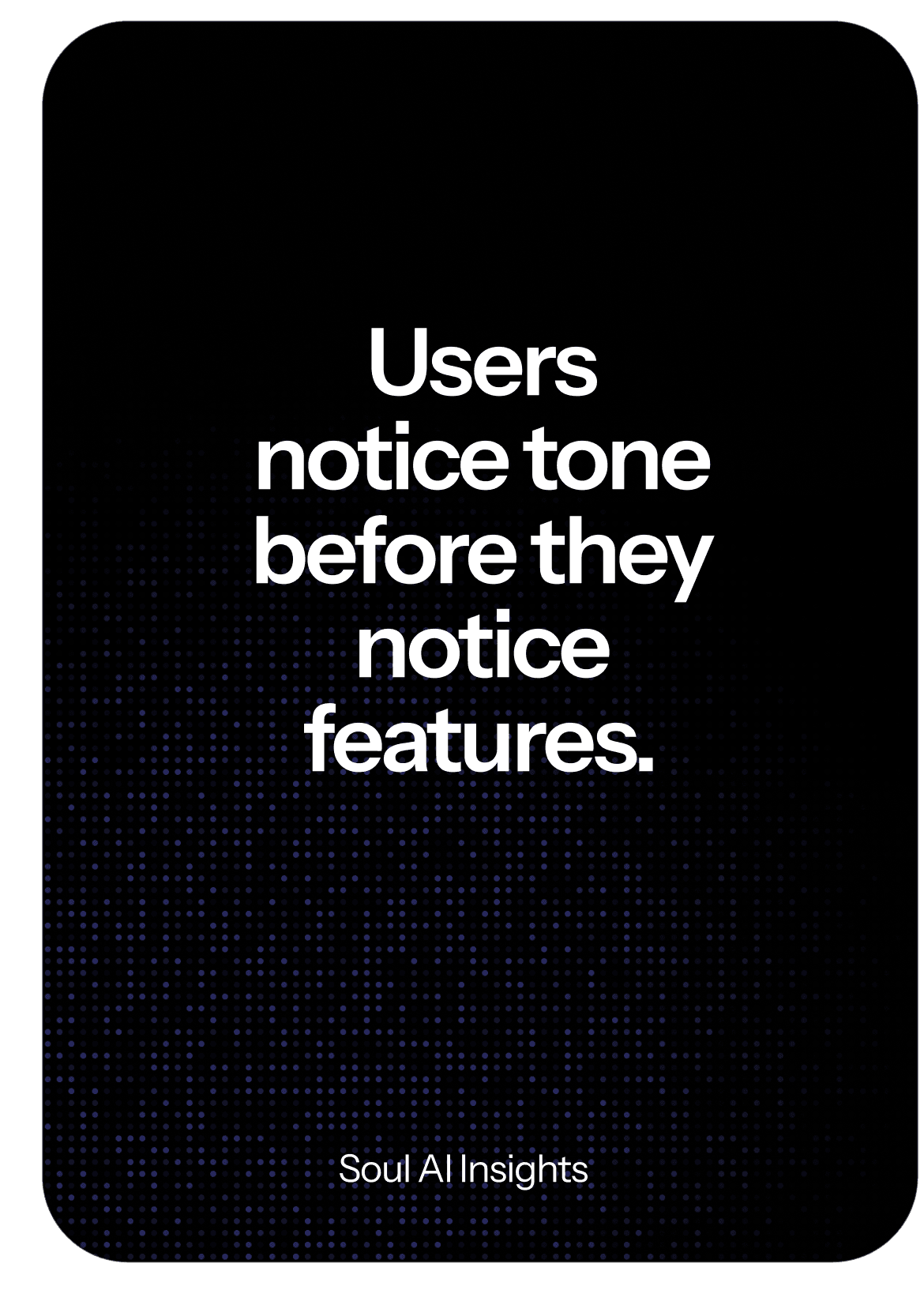
Users notice tone before they notice features.
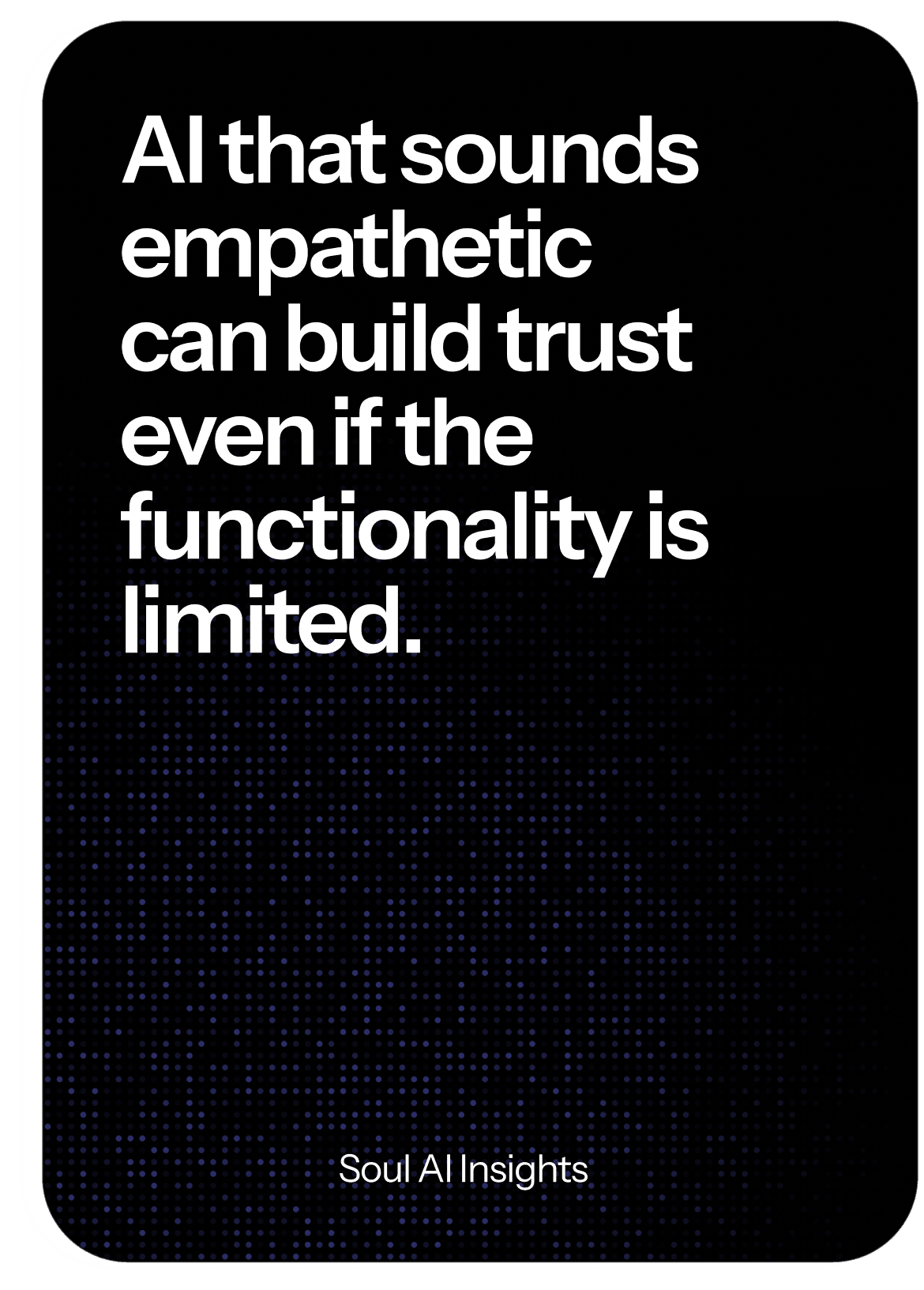
AI that sounds empathetic can build trust even if the functionality is limited.
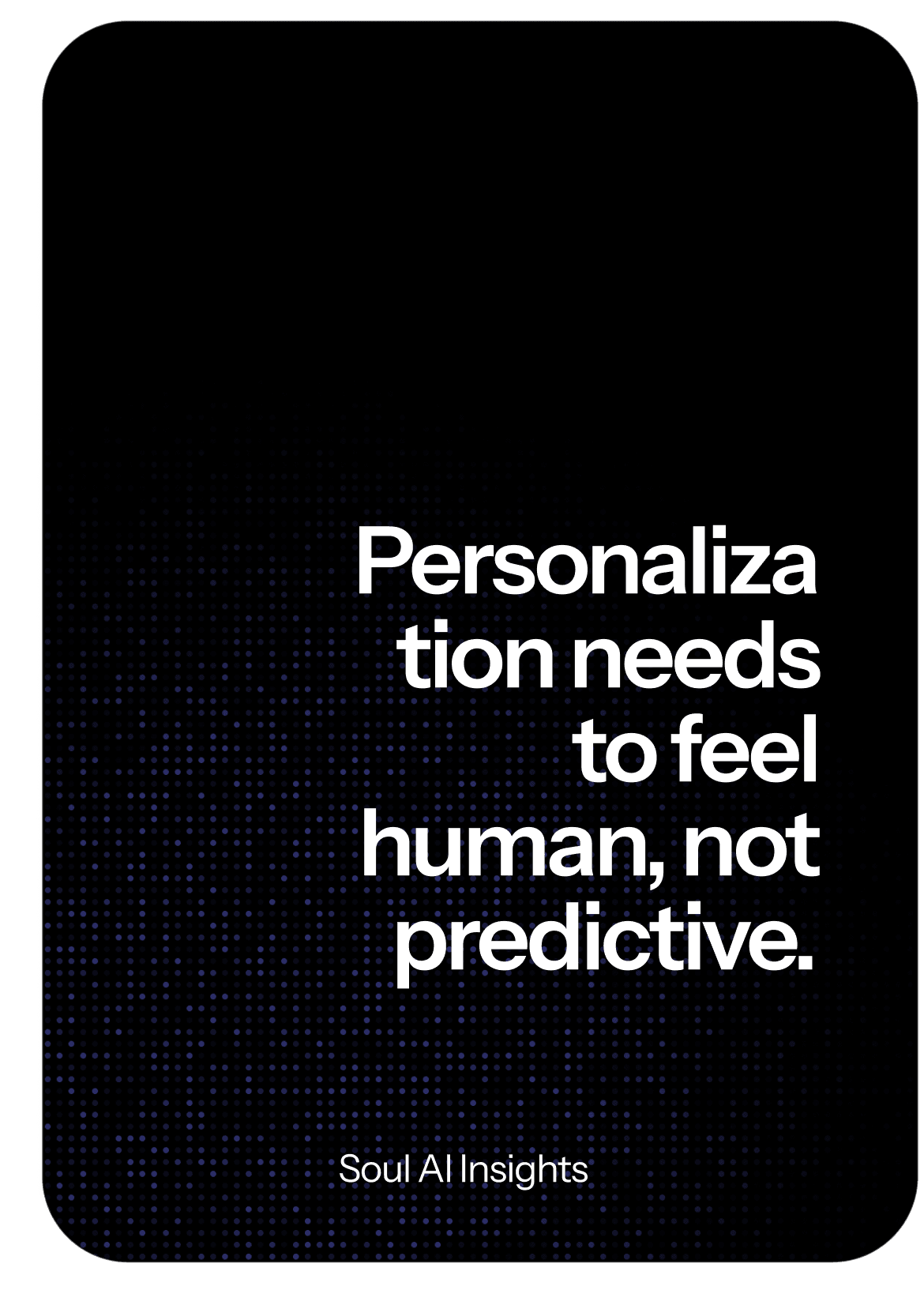
Personalization needs to feel human, not predictive.
One team member said it best:
“I didn’t want Soul AI to be smart I wanted it to feel seen.”
That shifted our focus from problem solving to emotional resonance.
Flows
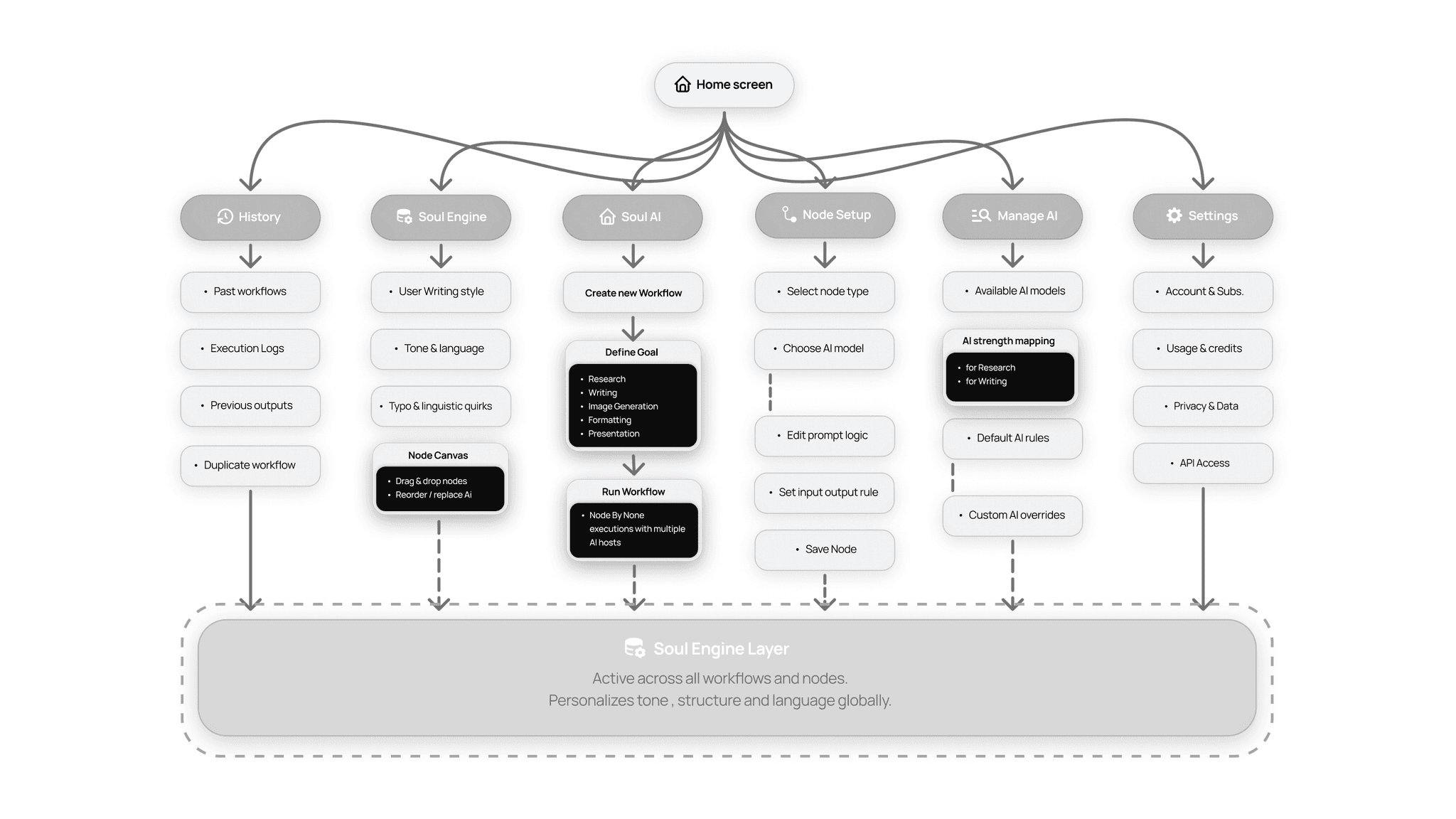
We mapped simple, realistic paths that reflected emotional context:
User types:
→ “I’m stressed and need help organizing my tasks”
→ “I’m overwhelmed by suggestions simplify, please”
→ “I’m curious about learning show me paths, not noise”
Each flow had:
Emotional context at input
Adaptive UI tone on output
Minimal cognitive load on the next step
Rather than force all tasks into a rigid flow chart, we built branches that feel natural.
UI
SOUL AI
Overview
Soul explores how complex digital tasks can be structured through workflow-based interfaces rather than single prompts. Many real-world tasks such as preparing a presentation or research report require multiple steps including research, structuring, content generation, and formatting.
This project investigates how a system could help users define the process behind a task rather than repeatedly prompting different tools. The outcome was a multi-screen interactive prototype that demonstrates how users can visually construct workflows, orchestrate different stages of a task, and generate structured outputs through a single interface.
The project was presented to an industry jury and received Runner-Up recognition for its human-centric approach and clarity of execution.
Categories
AI
Website / Desktop Application
Methods used
Workflow Mapping • Competitive Analysis • Interaction Design Exploration • Rapid Prototyping • Usability Testing
Date
Problem Statement
Complex digital tasks require multiple tools and repeated manual effort.
For example, when preparing a lecture or presentation, users often move between several platforms to complete a single workflow.
This creates several challenges:
fragmented workflows across tools
repetitive prompting and manual adjustments
inconsistent outputs between stages of the task
The challenge was to design a system that allows users to structure complex tasks clearly while maintaining control over the process.
Solution at a Glance
Soul AI is a digital experience that tailors AI responses to your emotional context and intention, not just task triggers.
Instead of generic replies or static suggestions, Soul AI gauges tone, mood, and goals to deliver responses that feel human, supportive, relevant, and contextually aware.
We built a concept prototype in 24 hours and presented it to the judges, ultimately finishing as Runner-Ups , not because it was perfect, but because it felt alive.
How It Started
We entered the 24-hour designathon with a few common frustrations:
Voice assistants that feel robotic.
Recommendations that ignore why you’re doing something.
Apps that treat all users the same.
My teammates and I spread across UX, research, and content knew we had to lean into something that felt alive, not mechanical.
After an initial brainstorm, someone said:
“What if AI could understand not just what I want, but how I feel when I want it?”
That question became our anchor.
User Research
Since we had only 24 hours, traditional research wasn’t possible but we didn’t skip insight. Instead, we used micro-research methods:
Live mini-interviews with 8 peers
Observation of how users react to existing AI assistants
Quick sentiment testing by reading emotional tone of sample messages
What we learned:
People want empathy before solution.
Users abandon assistant tools when responses feel robotic.
Emotional cues (tone, words, hesitation) matter more than raw task accuracy.
We distilled those insights into clear design priorities:
Emotional context, supportive language, adaptive UI tone.
More research :
Approach
Rather than jumping straight into UI screens, we first asked:
What does emotional intelligence in AI even look like?
What signals can we surface to the user without being creepy?
We mapped user states calm, stressed, curious, overwhelmed and matched them with response strategies:
User State | AI Response Style |
|---|---|
Stressed | Reassuring / simplified suggestions |
Curious | Contextual explanations |
Overwhelmed | Step-by-step guidance |
From that point, our goal was not to make every response smarter but to make every response feel like it matters.
Solution
We landed on a prototype that:
Reads the emotional tone of a user’s input
Adjusts AI response style accordingly
Displays UI elements that reflect mood subtly
(e.g., softer colors for stress, bright accents for curiosity)
The result was not a single “right answer” but behavior that felt attentive:
A UI that shifts language tone
Prompts that feel supportive
A feedback loop where users can correct the AI’s emotional reading
This created an experience where interaction wasn’t just reactive it felt responsive.
Design Decisions
Because we had limited time, we made intentional trade-offs:
Language over fancy visuals
We chose to invest in writing emotionally supportive copy rather than flashy graphics. The core idea had to feel real.
Tone matching, not mood guessing
Instead of making AI guess user emotions incorrectly, we limited it to four states that we could design for confidently (stressed, curious, calm, overwhelmed). This kept the system believable.
Simple UI that adapts
Rather than designing many complex screens, we built a system of adaptive micro-responses to ensure the UI supported the message, not distract from it.
1.Language
Language over fancy visuals
2.Tone
stressed, curious, calm, overwhelmed
3.Simple UI
To ensure the UI supported the message
Key Insights
Some of the most surprising takeaways:
Users notice tone before they notice features.
AI that sounds empathetic can build trust even if the functionality is limited.
Personalization needs to feel human, not predictive.
One team member said it best:
“I didn’t want Soul AI to be smart I wanted it to feel seen.”
That shifted our focus from problem solving to emotional resonance.
Flows
We mapped simple, realistic paths that reflected emotional context:
User types:
→ “I’m stressed and need help organizing my tasks”
→ “I’m overwhelmed by suggestions simplify, please”
→ “I’m curious about learning show me paths, not noise”
Each flow had:
Emotional context at input
Adaptive UI tone on output
Minimal cognitive load on the next step
Rather than force all tasks into a rigid flow chart, we built branches that feel natural.
UI
SOUL AI
Overview
Soul explores how complex digital tasks can be structured through workflow-based interfaces rather than single prompts. Many real-world tasks such as preparing a presentation or research report require multiple steps including research, structuring, content generation, and formatting.
This project investigates how a system could help users define the process behind a task rather than repeatedly prompting different tools. The outcome was a multi-screen interactive prototype that demonstrates how users can visually construct workflows, orchestrate different stages of a task, and generate structured outputs through a single interface.
The project was presented to an industry jury and received Runner-Up recognition for its human-centric approach and clarity of execution.
Categories
AI
Website / Desktop Application
Methods used
Workflow Mapping • Competitive Analysis • Interaction Design Exploration • Rapid Prototyping • Usability Testing
Date
Problem Statement
Complex digital tasks require multiple tools and repeated manual effort.
For example, when preparing a lecture or presentation, users often move between several platforms to complete a single workflow.
This creates several challenges:
fragmented workflows across tools
repetitive prompting and manual adjustments
inconsistent outputs between stages of the task
The challenge was to design a system that allows users to structure complex tasks clearly while maintaining control over the process.
Solution at a Glance
Soul AI is a digital experience that tailors AI responses to your emotional context and intention, not just task triggers.
Instead of generic replies or static suggestions, Soul AI gauges tone, mood, and goals to deliver responses that feel human, supportive, relevant, and contextually aware.
We built a concept prototype in 24 hours and presented it to the judges, ultimately finishing as Runner-Ups , not because it was perfect, but because it felt alive.
How It Started
We entered the 24-hour designathon with a few common frustrations:
Voice assistants that feel robotic.
Recommendations that ignore why you’re doing something.
Apps that treat all users the same.
My teammates and I spread across UX, research, and content knew we had to lean into something that felt alive, not mechanical.
After an initial brainstorm, someone said:
“What if AI could understand not just what I want, but how I feel when I want it?”
That question became our anchor.
User Research
Since we had only 24 hours, traditional research wasn’t possible but we didn’t skip insight. Instead, we used micro-research methods:
Live mini-interviews with 8 peers
Observation of how users react to existing AI assistants
Quick sentiment testing by reading emotional tone of sample messages
What we learned:
People want empathy before solution.
Users abandon assistant tools when responses feel robotic.
Emotional cues (tone, words, hesitation) matter more than raw task accuracy.
We distilled those insights into clear design priorities:
Emotional context, supportive language, adaptive UI tone.
More research :
Approach
Rather than jumping straight into UI screens, we first asked:
What does emotional intelligence in AI even look like?
What signals can we surface to the user without being creepy?
We mapped user states calm, stressed, curious, overwhelmed and matched them with response strategies:
User State | AI Response Style |
|---|---|
Stressed | Reassuring / simplified suggestions |
Curious | Contextual explanations |
Overwhelmed | Step-by-step guidance |
From that point, our goal was not to make every response smarter but to make every response feel like it matters.
Solution
We landed on a prototype that:
Reads the emotional tone of a user’s input
Adjusts AI response style accordingly
Displays UI elements that reflect mood subtly
(e.g., softer colors for stress, bright accents for curiosity)
The result was not a single “right answer” but behavior that felt attentive:
A UI that shifts language tone
Prompts that feel supportive
A feedback loop where users can correct the AI’s emotional reading
This created an experience where interaction wasn’t just reactive it felt responsive.
Design Decisions
Because we had limited time, we made intentional trade-offs:
Language over fancy visuals
We chose to invest in writing emotionally supportive copy rather than flashy graphics. The core idea had to feel real.
Tone matching, not mood guessing
Instead of making AI guess user emotions incorrectly, we limited it to four states that we could design for confidently (stressed, curious, calm, overwhelmed). This kept the system believable.
Simple UI that adapts
Rather than designing many complex screens, we built a system of adaptive micro-responses to ensure the UI supported the message, not distract from it.
1.Language
Language over fancy visuals
2.Tone
stressed, curious, calm, overwhelmed
3.Simple UI
To ensure the UI supported the message
Key Insights
Some of the most surprising takeaways:
Users notice tone before they notice features.
AI that sounds empathetic can build trust even if the functionality is limited.
Personalization needs to feel human, not predictive.
One team member said it best:
“I didn’t want Soul AI to be smart I wanted it to feel seen.”
That shifted our focus from problem solving to emotional resonance.
Flows
We mapped simple, realistic paths that reflected emotional context:
User types:
→ “I’m stressed and need help organizing my tasks”
→ “I’m overwhelmed by suggestions simplify, please”
→ “I’m curious about learning show me paths, not noise”
Each flow had:
Emotional context at input
Adaptive UI tone on output
Minimal cognitive load on the next step
Rather than force all tasks into a rigid flow chart, we built branches that feel natural.
UI